AI Stem Separation
Extract vocals, drums, bass, and other stems with Demucs-powered local processing.
Free Lite software for Windows
Private desktop AI for music creators
Separate vocals, drums, bass, and instrumentals on your own computer. No cloud upload, no server queue, no permanent storage.
Lite is free to download directly. No sign-in or credit card needed. Pro unlocks full songs, 4 stems, YouTube import, FLAC/ZIP export, and AI mastering.
Built for fast creator workflows
Extract vocals, drums, bass, and other stems with Demucs-powered local processing.
Create instrumental versions for covers, practice, remixes, and performance prep.
Upload stems or use AI-separated stems, choose a genre, create a balanced mix, and export mastered versions with EQ, compression, loudness, and limiting.
Detect BPM, key, duration, loudness, and per-stem details after separation.
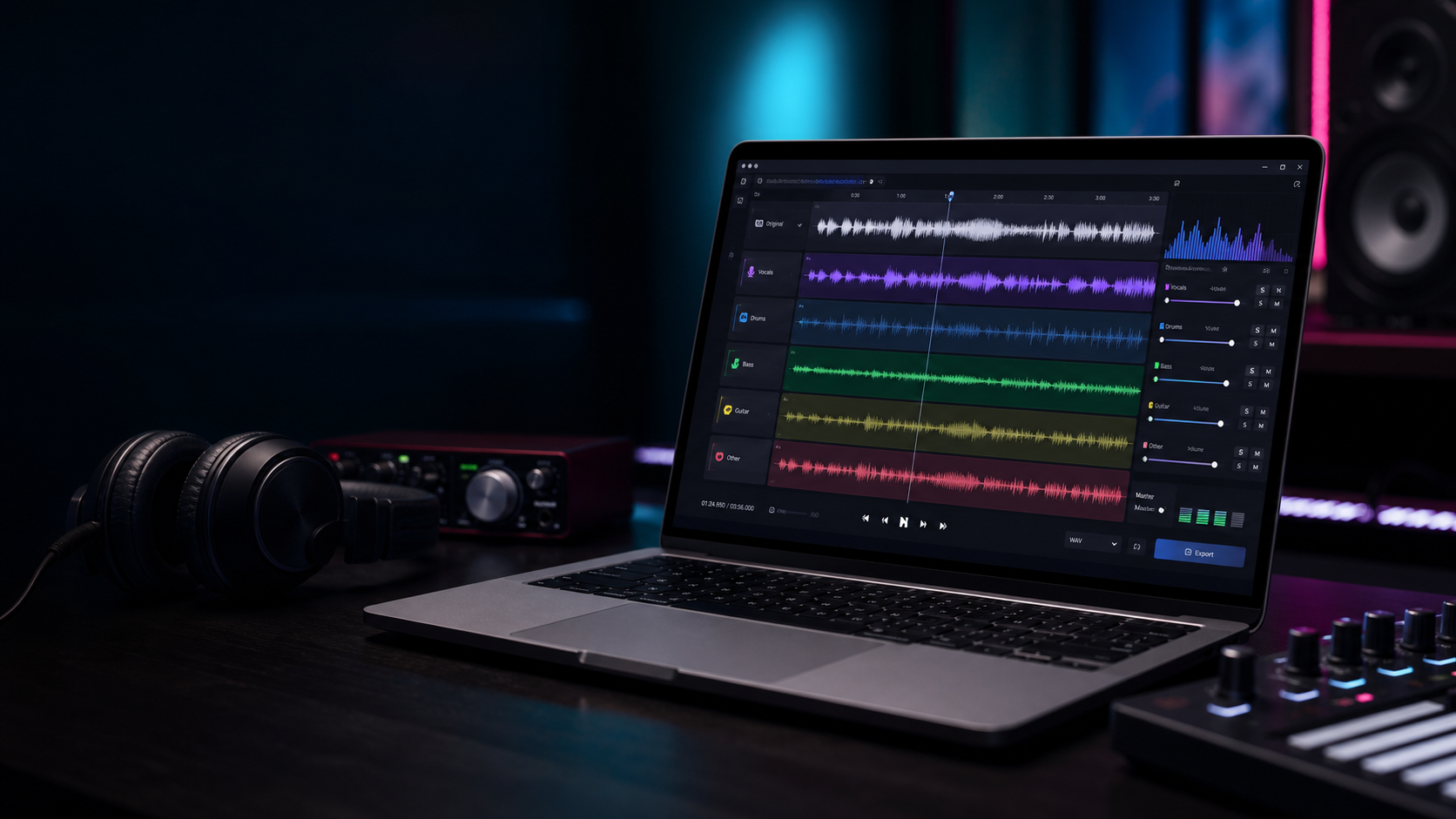
Mute, solo, change stem volume, compare vocals and instrumentals, and use waveform seeking.
Use a software-style workspace for import, separation, stem mixing, mastering, and export.
Free Lite, paid Pro
SonicSplit AI Lite is a real free Windows app for short local vocal and karaoke separation. SonicSplit AI Pro unlocks full-song workflows through secure Razorpay checkout.
Lite is free for short local files. Pro adds longer songs, high quality mode, 4 stems, YouTube import, ZIP/FLAC export, and AI mastering.
Popular uses
Before you sign in
SonicSplit AI Lite gives you the desktop workflow first: import a short audio file, separate vocals and instrumental locally, then preview the result before exporting.
Import your local MP3 or WAV file into the Windows app.
Use vocals for covers, remix prep, practice, or editing.
Export an instrumental track for singing and performance prep.
Demo workflow
Import a local track and choose fast, high-quality, vocals-only, or 4-stem mode.
The desktop engine processes the audio on your machine and shows progress while it works.
Preview stems, mute or solo parts, then export vocals, karaoke, all stems, or a mastered full mix.
Product preview
song-demo.wav
Separating vocals, drums, bass, and instrumental...
AI stem mix + mastering export
Privacy by design
SonicSplit AI runs the separation engine locally. The desktop app starts a private audio engine on your computer and processes temporary files there.
Read full privacy policyWindows desktop
Download the Windows Lite app directly. Upgrade to Pro later if you need full songs, 4 stems, YouTube import, ZIP/FLAC export, and AI mastering.
Windows 10 or newer recommended. Lite supports local audio up to 60 seconds. macOS support is planned for a future release.
Questions
It separates songs into vocals, drums, bass, and instrumental stems using a local desktop audio engine, then helps you mix and export the result.
No. The desktop app is designed to process audio locally on your computer. SonicSplit AI does not store user audio or generated stems on the website.
SonicSplit AI Lite is free to download without sign-in. SonicSplit AI Pro is available as a paid one-time software upgrade. The exact amount is shown before Razorpay checkout.
The current release is for Windows 10 or newer. macOS support is planned for a future release.
The desktop app includes AI-assisted mixing and mastering: upload stems or separate a song into stems, choose a genre profile, then export balanced, bright, warm, or loud mastered versions using EQ, compression, loudness normalization, and limiting.
Policies
Refund requests are accepted within 7 days of purchase if the installer cannot run on a supported Windows device and support cannot resolve the issue. Refunds are not offered for misuse, unsupported systems, or completed downloads where the app works as described.
For setup, payment, or download help, contact sonicsplitai@gmail.com. We aim to respond within 2 business days.
After successful payment, users receive immediate access to the Windows installer download through the website.
Users are responsible for having rights to process their audio. SonicSplit AI is intended for personal, creator, remix, practice, and production workflows where the user has permission to use the source audio.